 Marpos Studio
Preview the page your editor is changing
Render an entry in Astro, map it to a public route, and check unsaved changes alongside the editor.
Give the collection a page
A collection defines the data. An Astro route determines where visitors see it. For the Posts collection from the previous chapter, create src/pages/posts/[...id].astro with the following contents.
---
import { getCollection, render } from 'astro:content';

export async function getStaticPaths() {
  const posts = await getCollection('posts');
  return posts.map(post => ({
    params: { id: post.id },
    props: { post },
  }));
}

const { post } = Astro.props;
const { Content } = await render(post);
---

<h1>{post.data.title}</h1>
<Content />
Run the site and open /posts/gallery-notes/. When a single dynamic route directly queries a collection, Studio can usually infer its URL prefix. It runs Astro with the website’s own components, styles, and integrations.
Map a record to its actual URL
For a homepage, shared data, custom IDs, or translated pages, put studio.preview.json beside the website’s package.json. Each key is a content file relative to that website. The value is a local page path, or an array of paths when one record appears in several languages. These entries come from Domus Picturae.
{
  "content/homepage/index.json": ["/", "/fr", "/de"],
  "content/artworks/the-garden-within.json": [
    "/artworks/the-garden-within",
    "/fr/artworks/the-garden-within",
    "/de/artworks/the-garden-within"
  ]
}
A mapping points to an existing page. If preview opens a 404, first open that path in the site’s own dev server. If the page works there, correct the mapping or choose Set preview page in Studio.
Check a change side by side
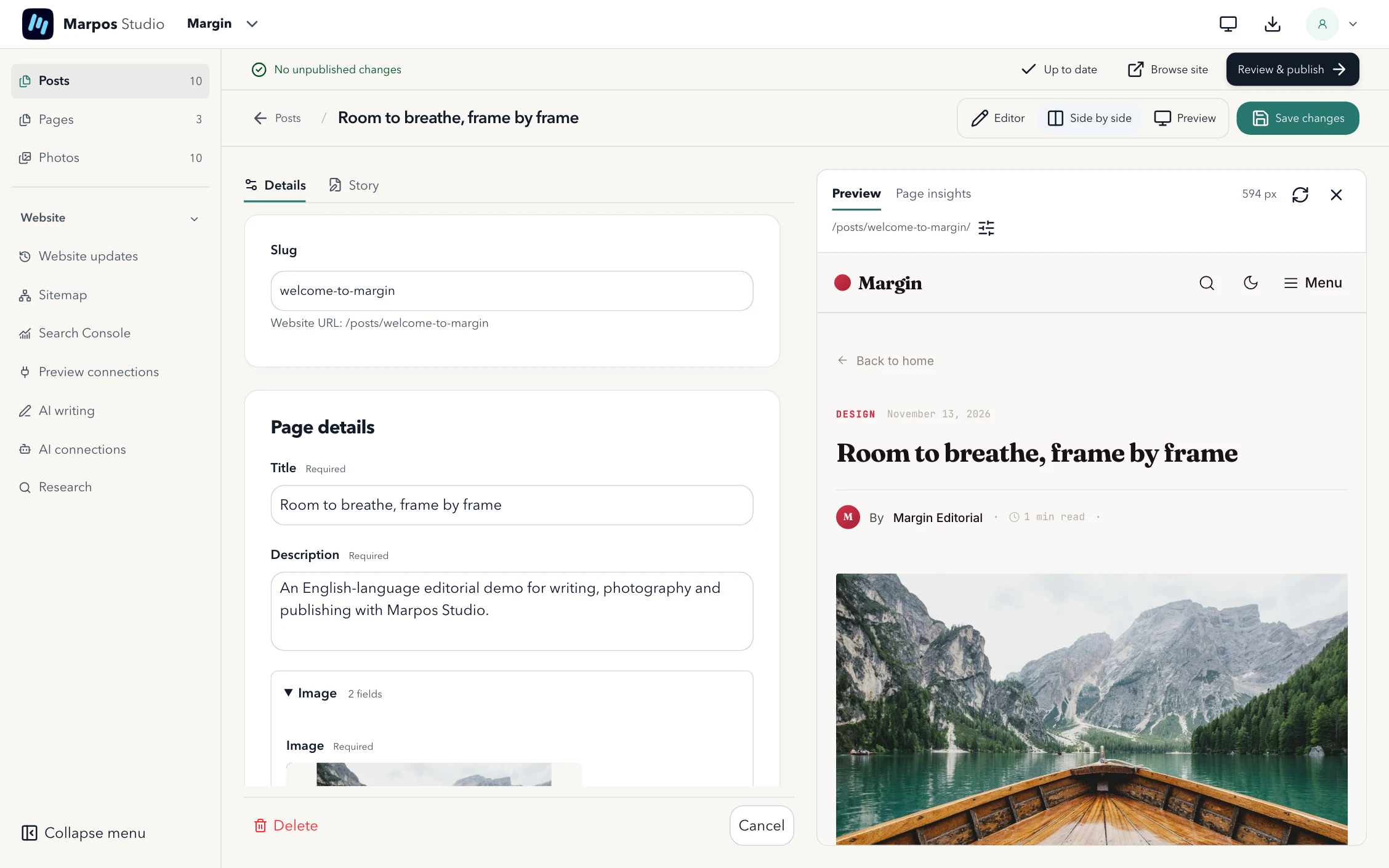
Open an entry, change its headline in Details, and select Side by side. Check where the new text wraps in the real layout. Save changes keeps the edit in your workspace. Discard changes restores the last saved version. Browse site opens the saved website in an external browser.
For a client review, use Share and Create sharing link from the preview. Keep Studio and the preview running while the client reads. Accepted wording suggestions enter the editor as unsaved changes for you to review before saving. Use Stop sharing when the review is finished.